Forums
|
Forums >> Revit Building >> Technical Support >> upper clip in perspective?
|
|
|
active
Joined: Sat, Oct 25, 2003
411 Posts
 |
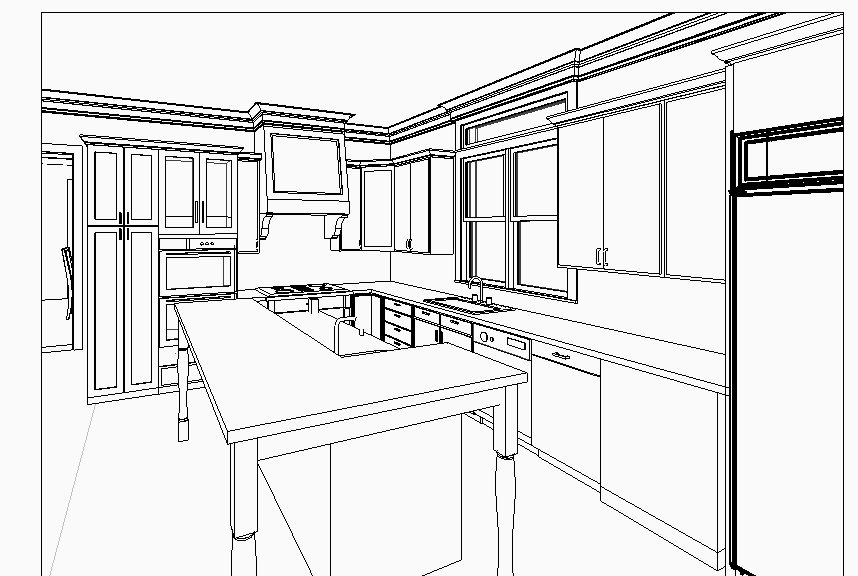
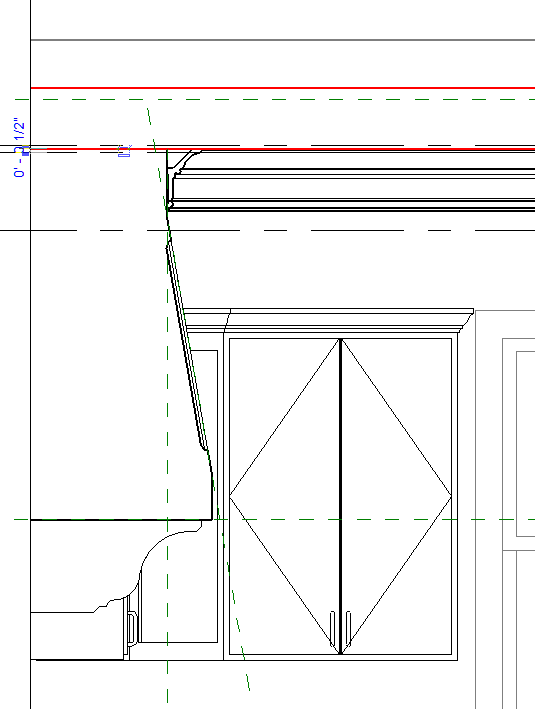
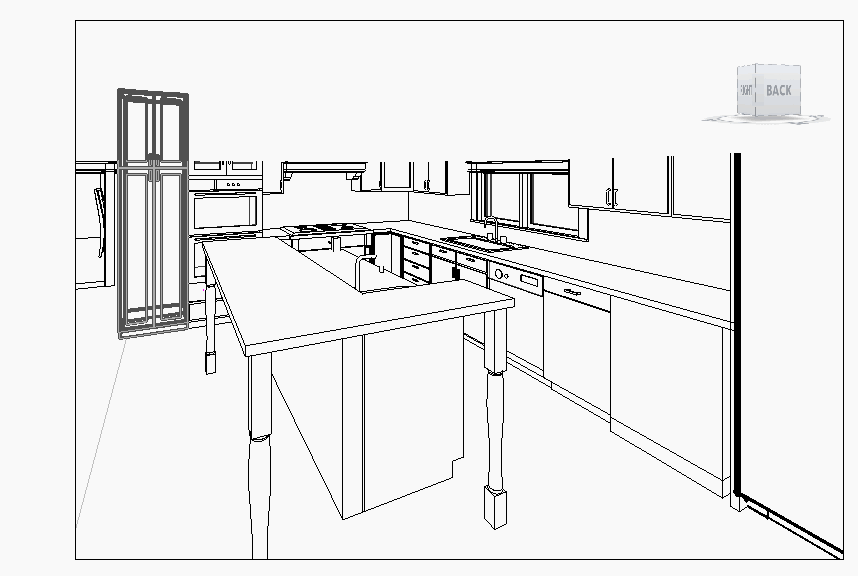
in the attached drawing there is a crown molding higlighted in red. only the bottom half of the molding will display in perspective views. I have used this same profile in previous projects, it displayed fine. There is nothing obscuring it, no ceilings, no objects that are from other phases. the whole thing dispays in section. It appears to creat a cutoff plane halfway up itself I just slightly modified the profiles below... CROWN-BUILTUP AB402 AB212-1.rfa (attached) will not display normally, it cuts off the view Crown 2pc.rfa DOES display normally, attached no cut off. i am baffled.
|
This user is offline |
View Website
|
 | |
|
|
active
Joined: Sat, Oct 25, 2003
411 Posts
|
the 3rd drawing attached above illustrates what happens if I move the profile down to 6' AFF, It cuts off everything above it.
|
This user is offline |
View Website
|
|
|
site moderator|||

Joined: Tue, May 22, 2007
5921 Posts
 |
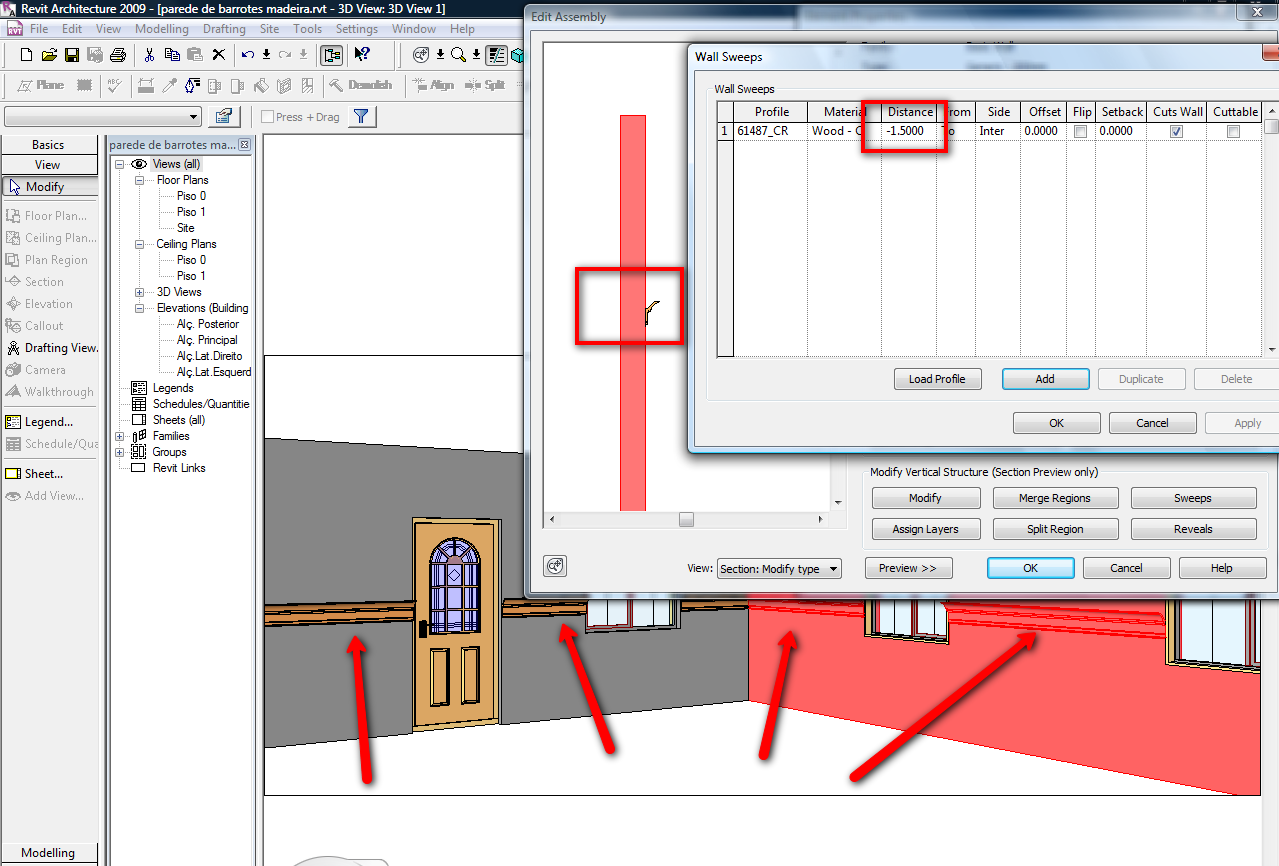
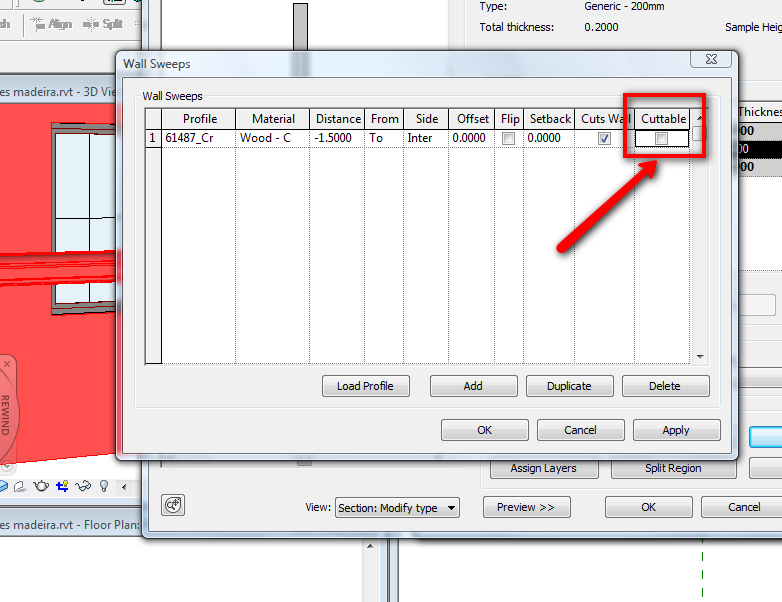
Well, i don't have any problem with those profiles like you can see.... Just one thing, do you have the parameter "Cuttable" ON or OFF?? I don't remember anyting like this... When you find the solution, put here....
-----------------------------------
I Hope and I Wish to LEARN more, and more, and more.... REVIT |
This user is offline |
|
|
|
active
Joined: Sat, Oct 25, 2003
411 Posts
|
where do you find the parameter "cuttable"?
|
This user is offline |
View Website
|
|
|
site moderator|||
Joined: Tue, May 22, 2007
5921 Posts
|
"where do you find the parameter "cuttable"?" ??? - in the "wall properties>sweeps like you can see in the images...
-----------------------------------
I Hope and I Wish to LEARN more, and more, and more.... REVIT |
This user is offline |
|
|
|
active
Joined: Sat, Oct 25, 2003
411 Posts
|
it isn't a wall sweep. it's a solid sweep
|
This user is offline |
View Website
|
|
|
site moderator|||
Joined: Tue, May 22, 2007
5921 Posts
|
A "Solid Sweep"??? Why??? Why don't simplify the things and ONLY use that "automatically" in a Wall Sweep???
-----------------------------------
I Hope and I Wish to LEARN more, and more, and more.... REVIT |
This user is offline |
|
|
|
active
Joined: Sat, Oct 25, 2003
411 Posts
|
because the crown doesn't always follow the wall, like at the range hood or over the transom window in the drawing attached.
|
This user is offline |
View Website
|
|
|
site moderator|||
Joined: Tue, May 22, 2007
5921 Posts
|
OK, so create ONLY those "Portions" with solid sweep and the rest with wall sweep...
-----------------------------------
I Hope and I Wish to LEARN more, and more, and more.... REVIT |
This user is offline |
|
|
|
Similar Threads |
|
view range top clip plane |
Revit Building >> Technical Support
|
Sat, Jan 24, 2009 at 7:56:31 AM
|
4
|
|
Perspective Problem |
Revit Building >> Technical Support
|
Fri, Jun 26, 2009 at 12:13:43 PM
|
8
|
|
Purpose of top clip planes?? |
Revit Building >> Technical Support
|
Mon, Aug 17, 2009 at 9:31:32 PM
|
1
|
|
far clip plane |
Revit Building >> Technical Support
|
Thu, Dec 15, 2005 at 2:15:57 PM
|
0
|
|
Wishlist - Default perspective 3d view |
General Discussion >> Wishlist
|
Fri, May 2, 2014 at 9:31:09 AM
|
9
|
|
|
Site Stats
Members: | 2161655 | Objects: | 23325 | Forum Posts: | 152479 | Job Listings: | 3 |
|

 Search
 61487_CROWN-BUILTUP_AB402_AB212-1.rfa