Forums
|
Forums >> Revit Building >> Technical Support >> Inconsistency in wall joins
|
|
|
active
Joined: Wed, Dec 3, 2008
7 Posts
No Rating |
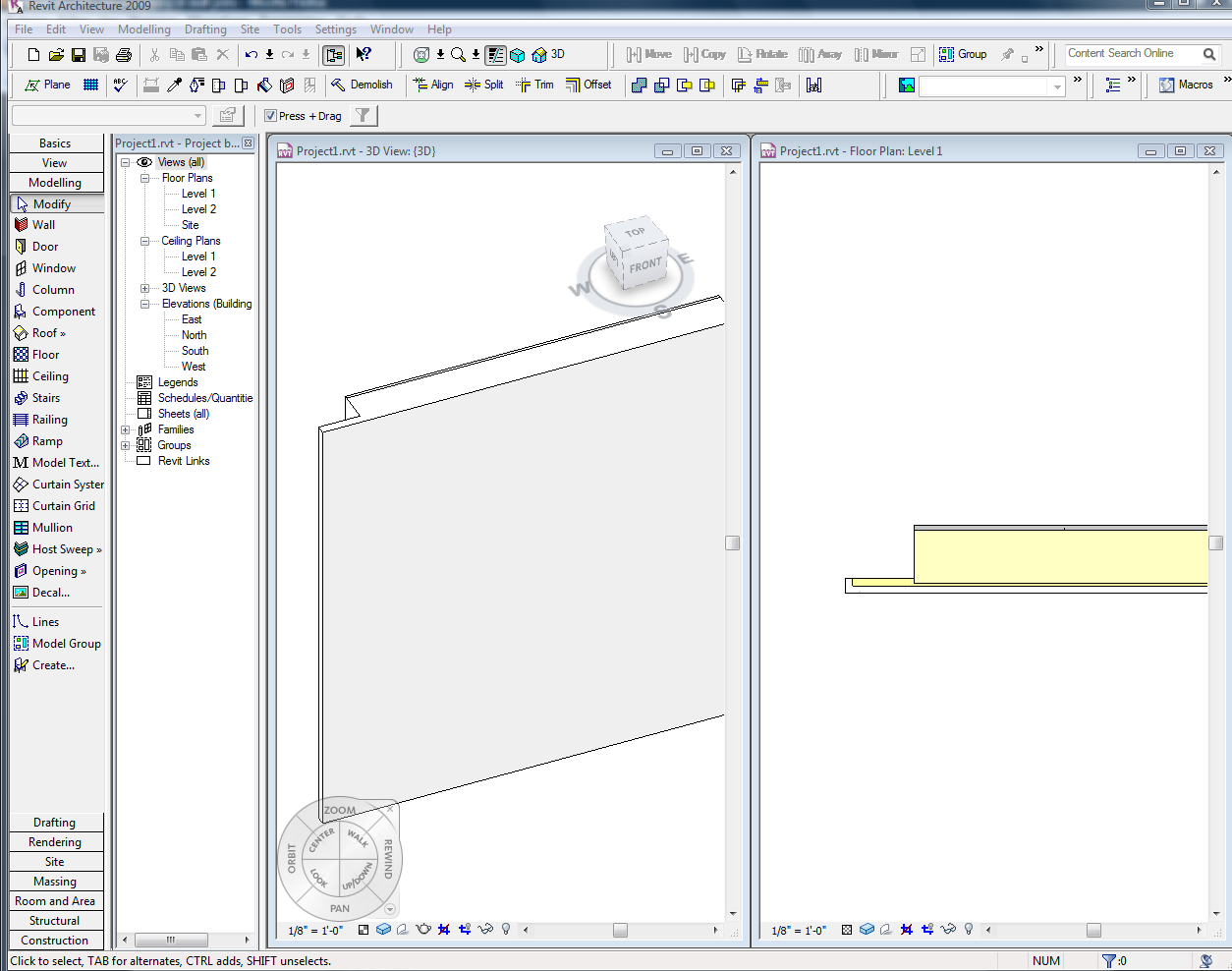
I have two different wall types with the outer layer of each being the same exact thickness and material. they are the same exact height. I used the join tool to join them in plan, and it shows correctly there. however, in elevation and 3d and basically any view thats not plan is showing them as two distinct elements. I've tried unjoining and rejoining, i've tried edit wall joins, and neither of those work. any other ideas?
|
This user is offline |
|
 | |
|
|
site moderator|||

Joined: Tue, May 22, 2007
5921 Posts
 |
Are you sure they have "the same exact thickness and material."??? No matter if they have different functions or if they have different thickness or if they are into the "core" BUT they must have the same material....
-----------------------------------
I Hope and I Wish to LEARN more, and more, and more.... REVIT |
This user is offline |
|
|
|
active
Joined: Wed, Dec 3, 2008
7 Posts
No Rating |
yeah they are the same material, thickness and are both the only layers outside of the core boundry. the image you posted is exactly what I want. I've done it before with varying thicknesses, and relationships to the core boundry (same material) and it usually always works. yet sometimes this seems to happen. sometimes with two walls, sometimes with a wall and a floor. frustrating
|
This user is offline |
|
|
|
site moderator|||
Joined: Tue, May 22, 2007
5921 Posts
|
Hummm, can you please post here (attach the file-REMEMBER 2MB MAX.), so I can download, ONLY those two walls so I can take a look???
-----------------------------------
I Hope and I Wish to LEARN more, and more, and more.... REVIT |
This user is offline |
|
|
|
active
Joined: Wed, Dec 3, 2008
7 Posts
No Rating |
here you go
|
This user is offline |
|
|
|
active
Joined: Wed, Dec 3, 2008
7 Posts
No Rating |
seems like it didnt work...let me try again.
|
This user is offline |
|
|
|
site moderator|||
Joined: Tue, May 22, 2007
5921 Posts
|
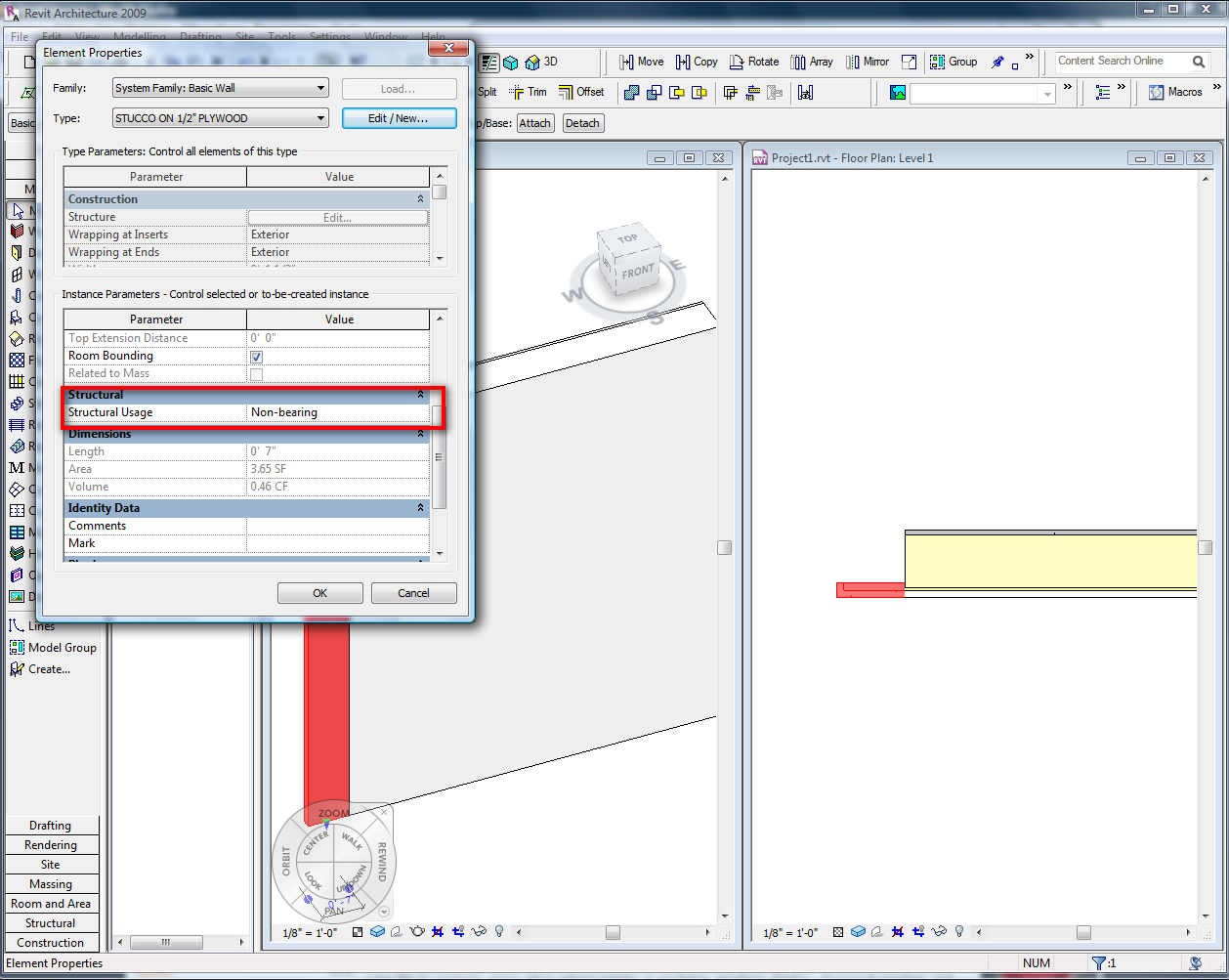
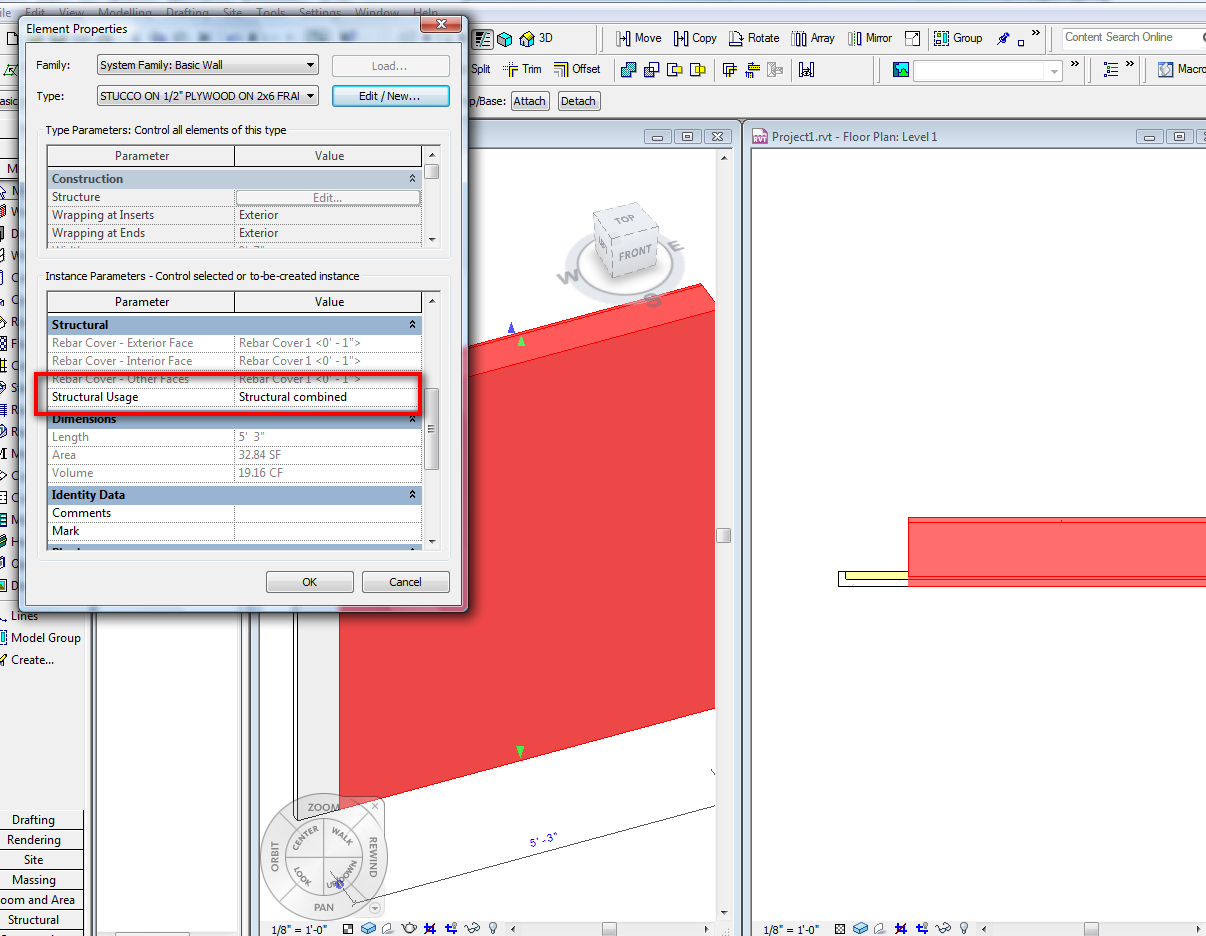
That's the problem "Structural Usage", put in the same Value and problem solved, see the images....
-----------------------------------
I Hope and I Wish to LEARN more, and more, and more.... REVIT |
This user is offline |
|
|
|
active
Joined: Wed, Dec 3, 2008
7 Posts
No Rating |
aaah. I was inputing structural elements feverishly at one point and I mustve been blowing through the warnings on bearing vs non-bearing..but yeah that solved it. thanks!
|
This user is offline |
|
|
|
site moderator|||
Joined: Tue, May 22, 2007
5921 Posts
|
I now that, you welcome...
-----------------------------------
I Hope and I Wish to LEARN more, and more, and more.... REVIT |
This user is offline |
|
|
|
Similar Threads |
|
Does anyone else wish that there was a toggle to make wall joins the default off |
General Discussion >> Wishlist
|
Wed, Aug 19, 2009 at 9:49:42 AM
|
0
|
|
Can you make wall joins Miter by Default? |
Revit Building >> Technical Support
|
Wed, Dec 21, 2016 at 1:52:44 PM
|
14
|
|
Wall joins in linked files |
Revit Building >> Technical Support
|
Mon, Aug 19, 2013 at 2:58:42 PM
|
2
|
|
I hate the Revit Automatic Wall joins |
Community >> The Studio
|
Thu, Oct 25, 2007 at 9:59:44 AM
|
10
|
|
wall joins |
General Discussion >> Revit Project Management
|
Thu, Oct 20, 2011 at 4:37:14 PM
|
7
|
|
|
Site Stats
Members: | 2161655 | Objects: | 23325 | Forum Posts: | 152479 | Job Listings: | 3 |
|

 Search
 59486_Project1.zip