|
|
|
Home | Forums |
Downloads | Gallery |
News & Articles | Resources |
Jobs | FAQ |
| Join |
Welcome !
|
6 Users Online (4 Members):
Show Users Online
- Most ever was 626 - Mon, Jan 12, 2015 at 2:00:17 PM |
Forums
|
Forums >> Revit Building >> Technical Support >> Revit Line Colors
|
|
|
active
Joined: Wed, Apr 22, 2009
5 Posts
No Rating |
When I import autocad into revit I am stuck with line colors I don't know how to change. Where can I change them?? Sincerely, Maor
|
This user is offline |
|
 | |
|
|
site moderator|||

Joined: Tue, May 22, 2007
5921 Posts
 |
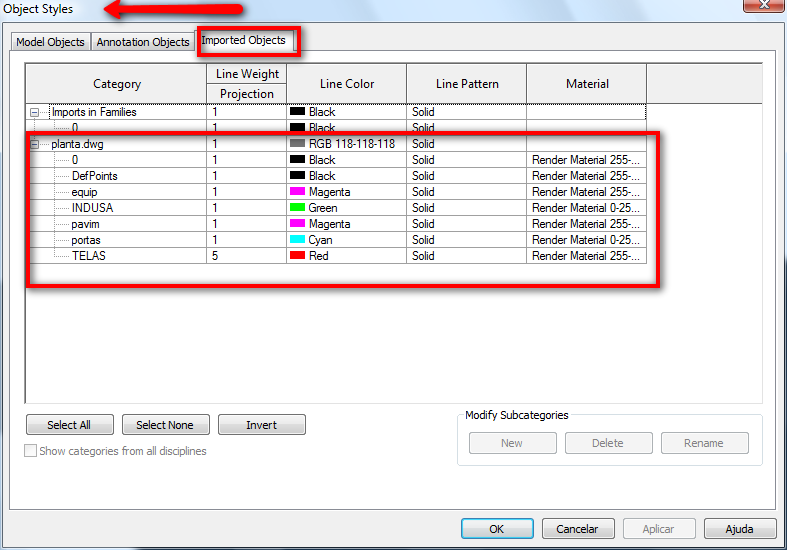
Did you try in "Object Styles"???
-----------------------------------
I Hope and I Wish to LEARN more, and more, and more.... REVIT |
This user is offline |
|
|
|
active
Joined: Wed, Apr 22, 2009
5 Posts
No Rating |
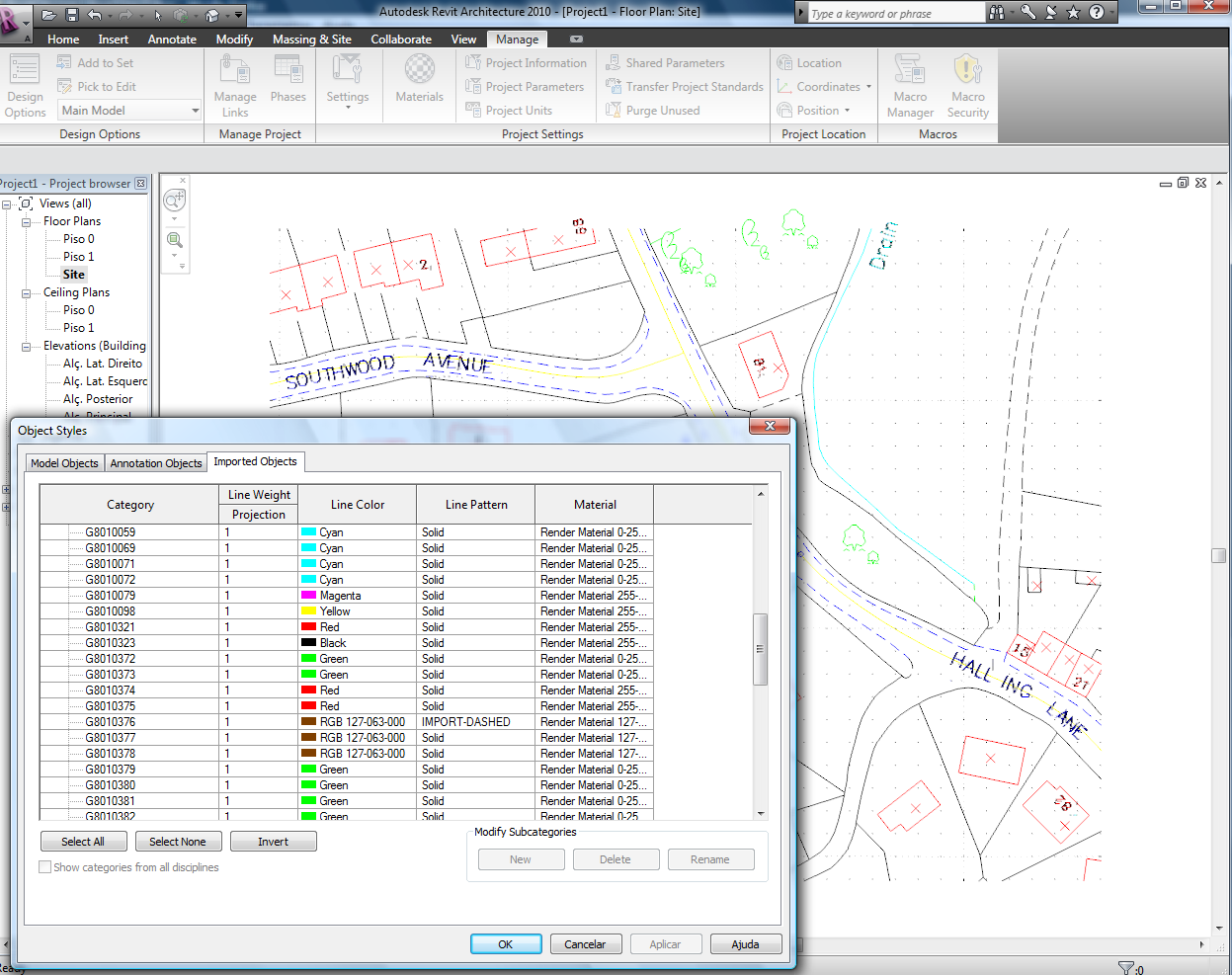
yes and no luck, they all show black?? but I still have color in the view
|
This user is offline |
|
|
|
site moderator|||
Joined: Tue, May 22, 2007
5921 Posts
|
What??? in your view you have your lines (cad) with colors and in the "Object Styles" all of that Categories (layers) are in black??? is that ???? when you import that cad file you choose "Preserve Colors"???
Edited on: Tue, Apr 28, 2009 at 2:53:22 PM
-----------------------------------
I Hope and I Wish to LEARN more, and more, and more.... REVIT |
This user is offline |
|
|
|
active

Joined: Fri, Sep 7, 2007
738 Posts
 |
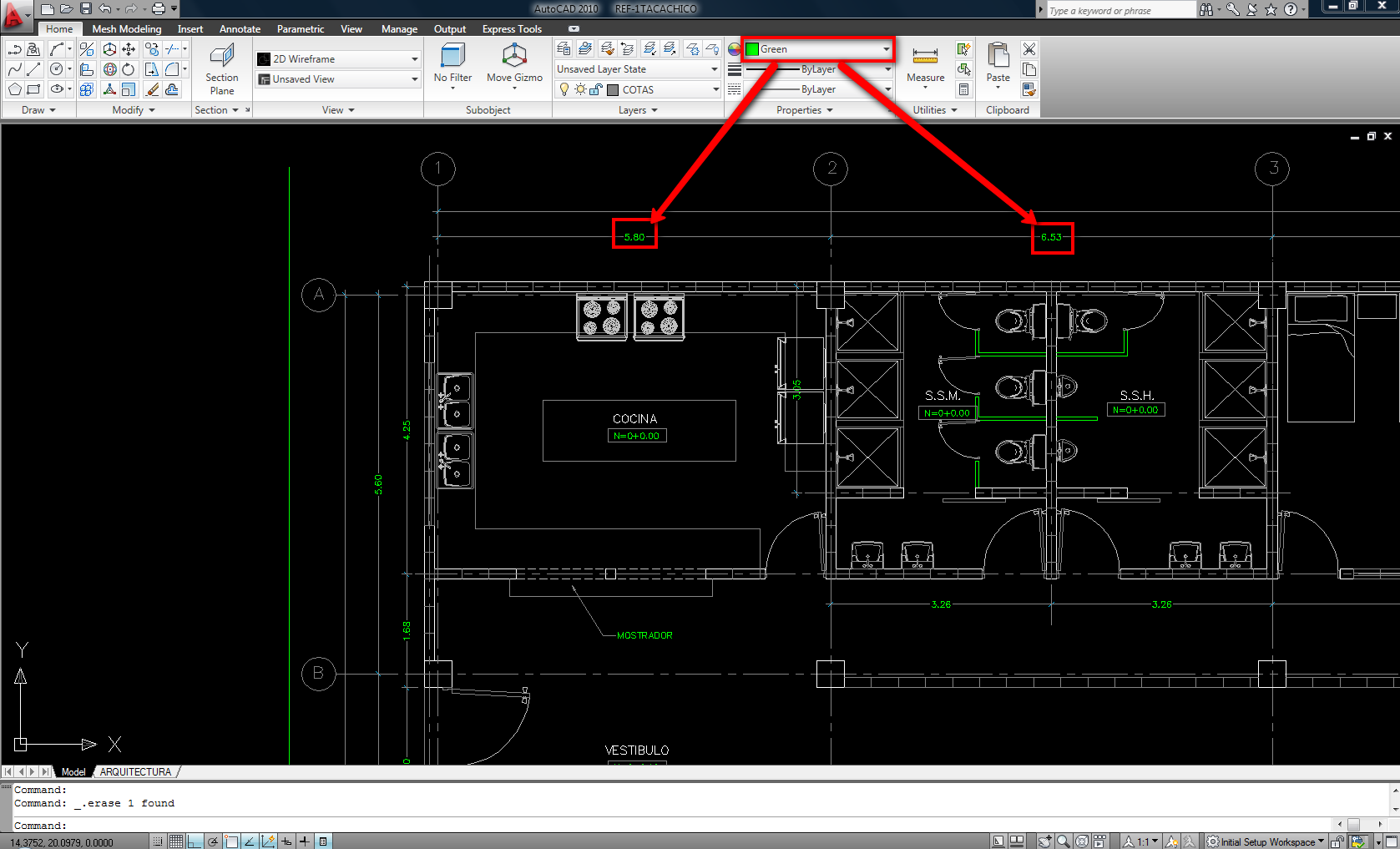
Hi mark2001, are you sure that when you draw your lines in AutoCAD you draw 'em By Layer and not By color. In the image attached you can see that all my imported drawing is in black except the numbers of the dimensions that are in green because I have them By color and not By Layer, so check this....
-----------------------------------
“Learning never exhausts the mind.” — Leonardo Da Vinci
|
This user is offline |
|
|
|
Similar Threads |
|
Setting Line Colors to print in grayscale |
Revit Structure >> Technical Support
|
Wed, Feb 21, 2007 at 10:21:49 AM
|
5
|
|
Area plan not printing walls and doors below colors |
Community >> Newbies
|
Sat, Mar 14, 2015 at 1:26:36 PM
|
4
|
|
Colors and Printing |
Revit Building >> Technical Support
|
Thu, Jul 19, 2012 at 10:11:31 AM
|
2
|
|
Exporting Revit to AutoCAD - Getting line colors 'right' |
General Discussion >> Revit Project Management
|
Thu, Apr 9, 2015 at 7:29:49 AM
|
1
|
|
linweweight asignments to autocad colors |
Revit Building >> Technical Support
|
Thu, Jul 14, 2005 at 11:26:18 AM
|
0
|
|
|
Site Stats
Members: | 2161655 | Objects: | 23325 | Forum Posts: | 152479 | Job Listings: | 3 |
|
 Search