Forums
|
Forums >> Workflow & Implementation >> Training >> Massing differences Revit 2009 and 2010
|
|
|
active
Joined: Mon, Apr 20, 2009
12 Posts
 |
A couple of days ago I downloaded the student copied licence of Revit 2010 and started playing with Masses. It took a little while to find all the options that I had in Revit 2009, however there is one that is alluding me. In 2009, it was easy to create a mass and set it's height relative to the work plane (Off set etc by negative values). I love the new changes in 2010 and how powerful the masses are, but this has been boggling me! Is there a way to address this issue? Thanks, Sol
|
This user is offline |
|
 | |
|
|
site moderator|||

Joined: Tue, May 22, 2007
5921 Posts
 |
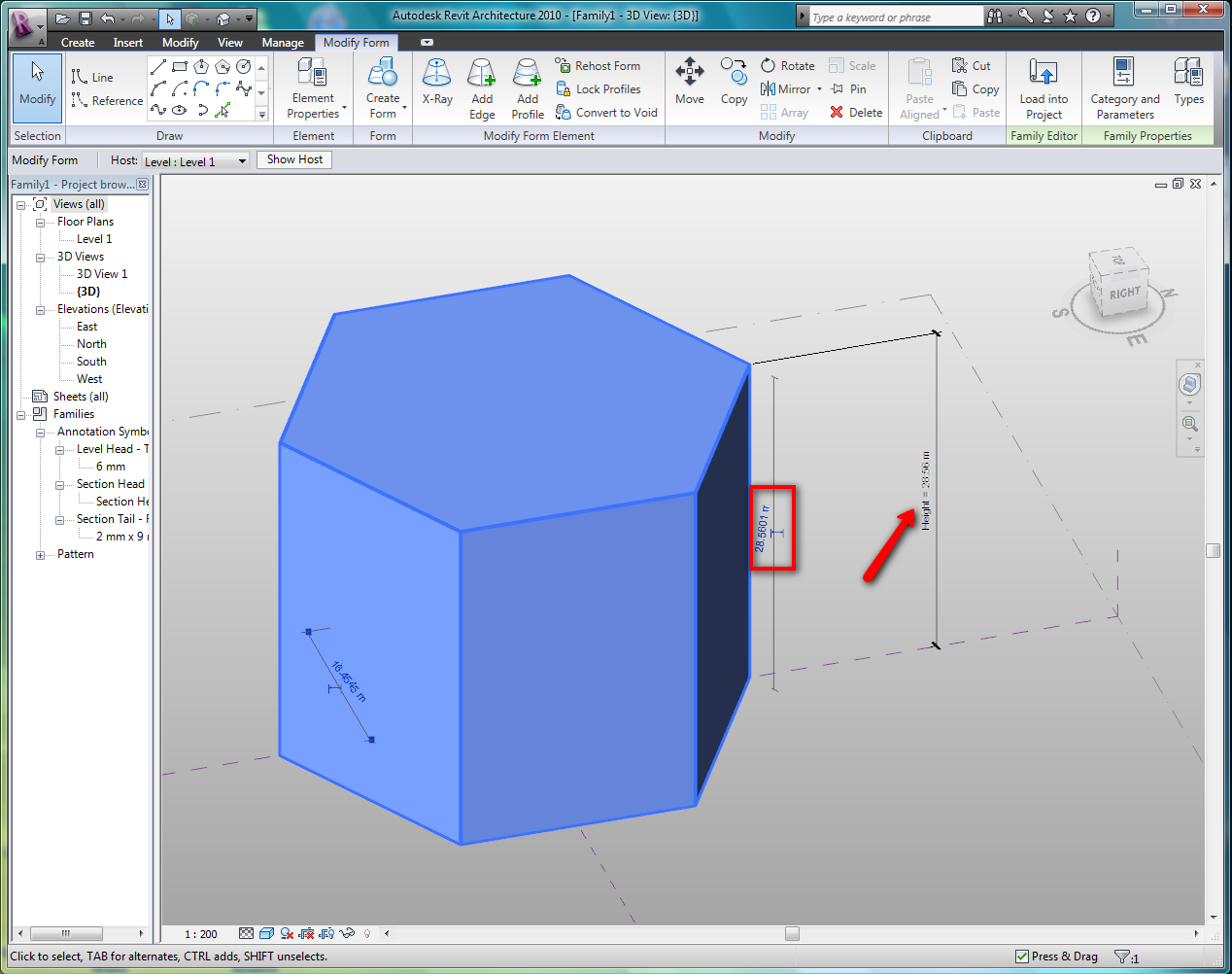
Are you talking to Create a mass in "Massing" (conceptual mass) or Create In-Place (solid extrusions, sweep, revolve...)??? You can also create a dimension and put a parameter to your height value or change the height with the Temporary dimension like you can see in the image attached...
-----------------------------------
I Hope and I Wish to LEARN more, and more, and more.... REVIT |
This user is offline |
|
|
|
active
Joined: Mon, Apr 20, 2009
12 Posts
|
I have literally just began playing with 2010, and transfered my 2009 project for Architectural Designover (I'm at University. There are two ways to mass in 2010? I've been using the 'create in place mass' from which I just make lines, highlight and hit 'create mass'. The other way you mention seems like the old massing system that I knew a little more about. If it's as simple as putting a dimension onto a mass, and typing it in from there then that could work. What I was meaning in the outset is if you have say, 10 levels of 3000mm each (Sorry I'm in NZ!), and you create a mass of 2000x2000,2000 in a say level 3 (6000mm up), but in fact, want that mass to sit 1300 down from level 3. In 2009, I would higlight the mass and use the offsets to say 'Begin at -1300 - Finish at 700'. Is this achieveable in 2010? Thanks in advance, Sol
|
This user is offline |
|
|
|
site moderator|||
Joined: Tue, May 22, 2007
5921 Posts
|
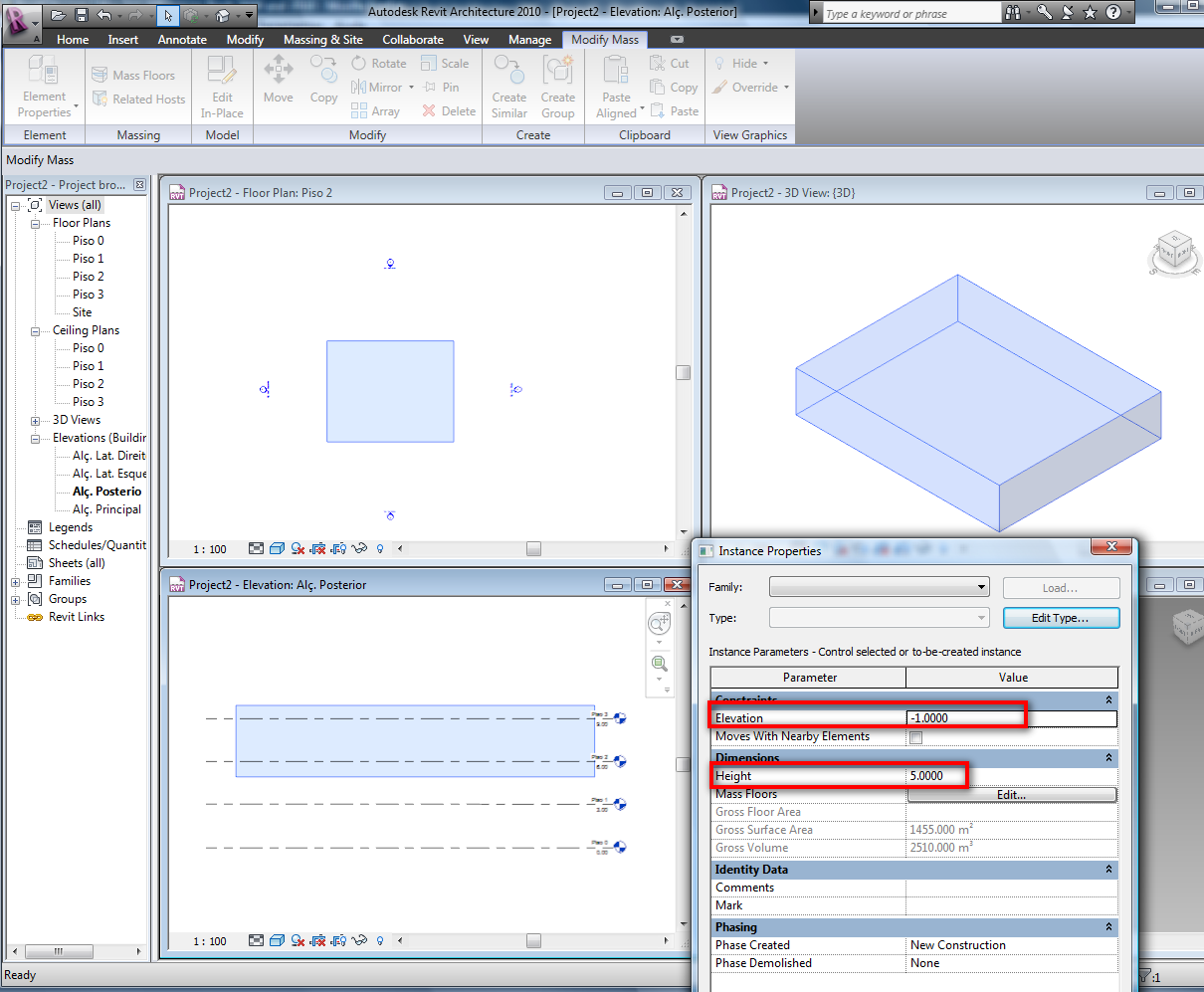
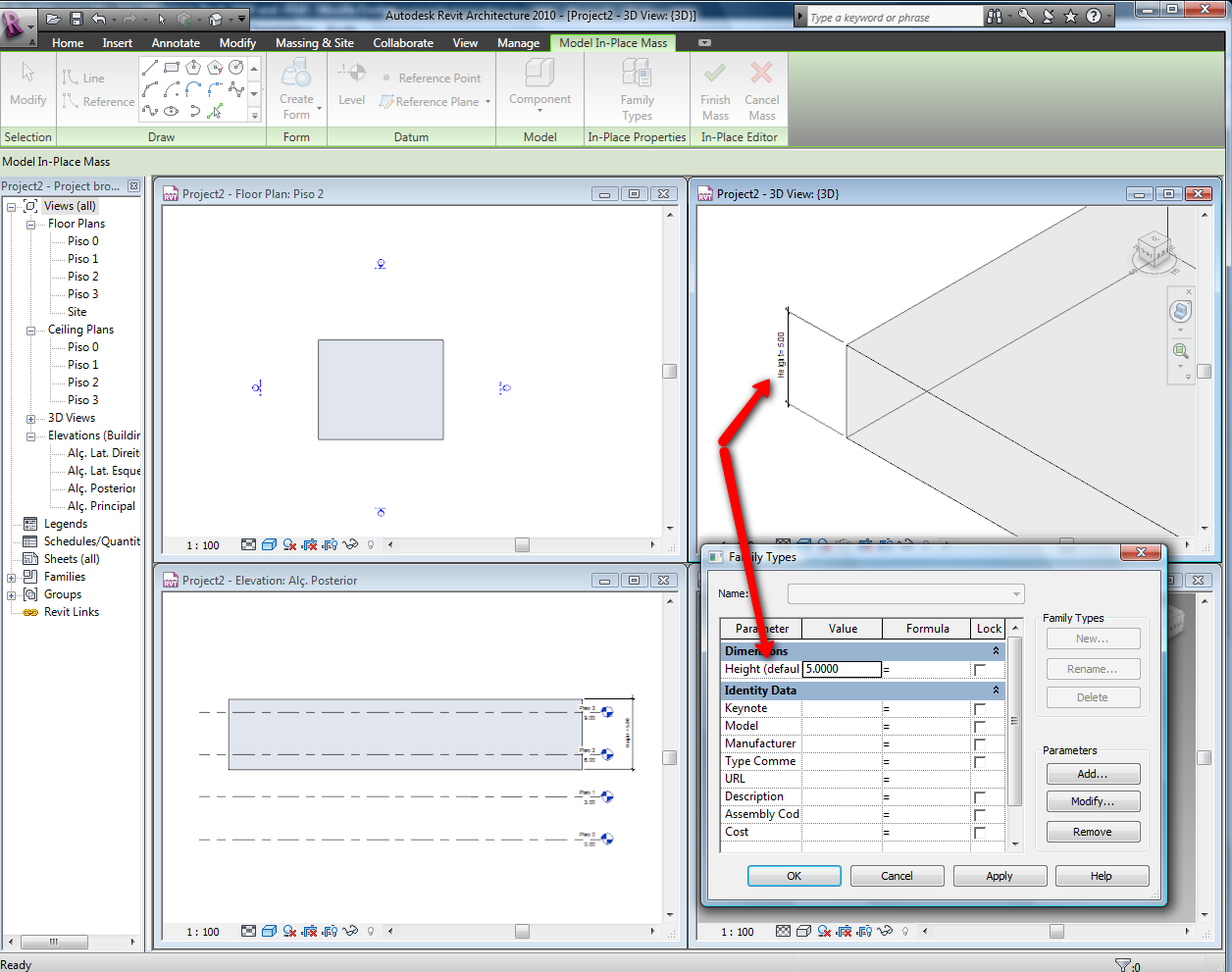
By default you have in the element properties of your mass the "Elevation", it's like an "Offset" to the base (positive value=UP, negative=DOWN) and you can create a parameter to the height like you can see in the images attached.... and YES there are two ways to create masses, "Create in-place" and the OLD "Massing"....
-----------------------------------
I Hope and I Wish to LEARN more, and more, and more.... REVIT |
This user is offline |
|
|
|
active
Joined: Mon, Apr 20, 2009
12 Posts
|
Awesome, that is extremely helpful. Thank you.
|
This user is offline |
|
|
|
active
Joined: Mon, Apr 20, 2009
12 Posts
|
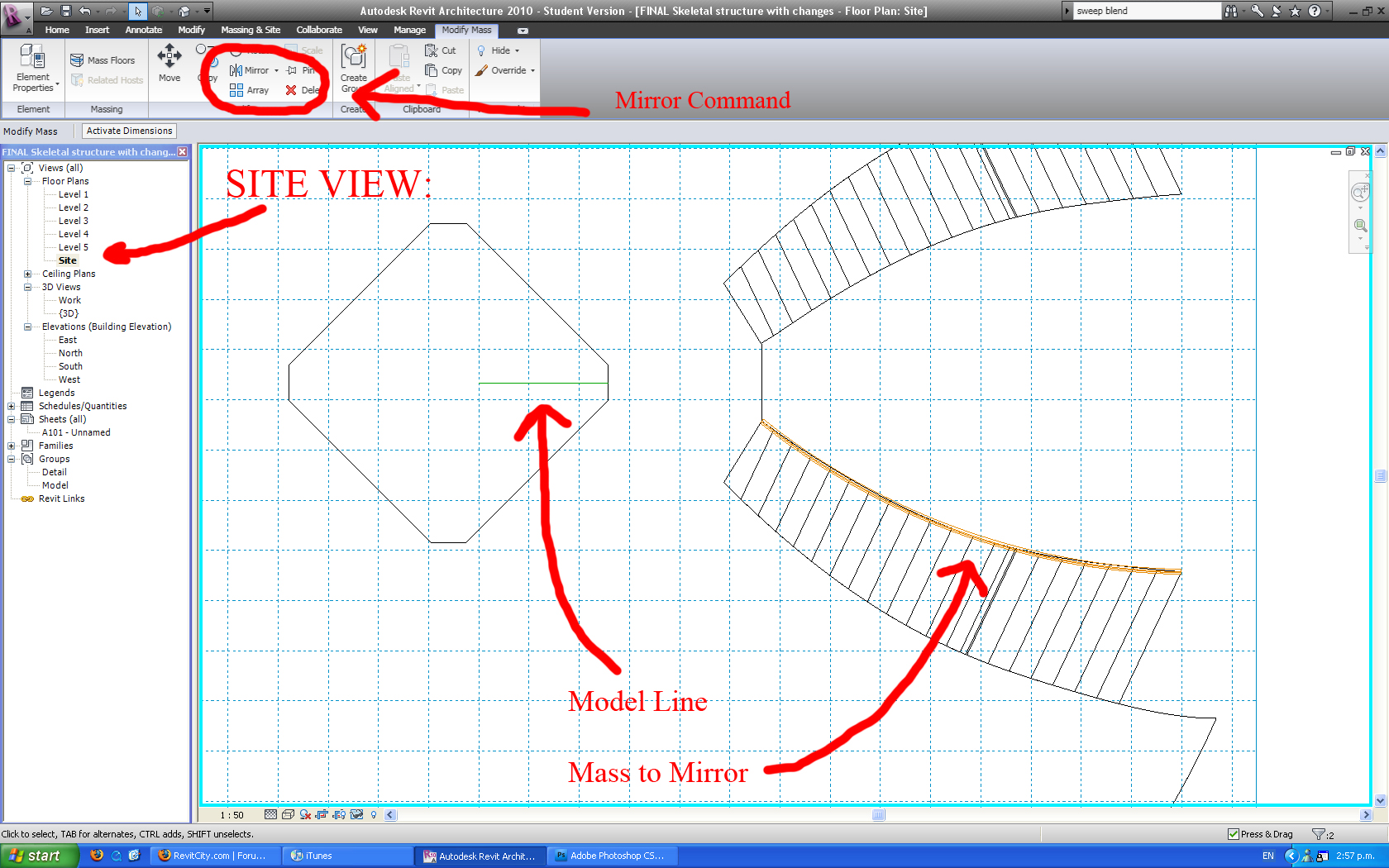
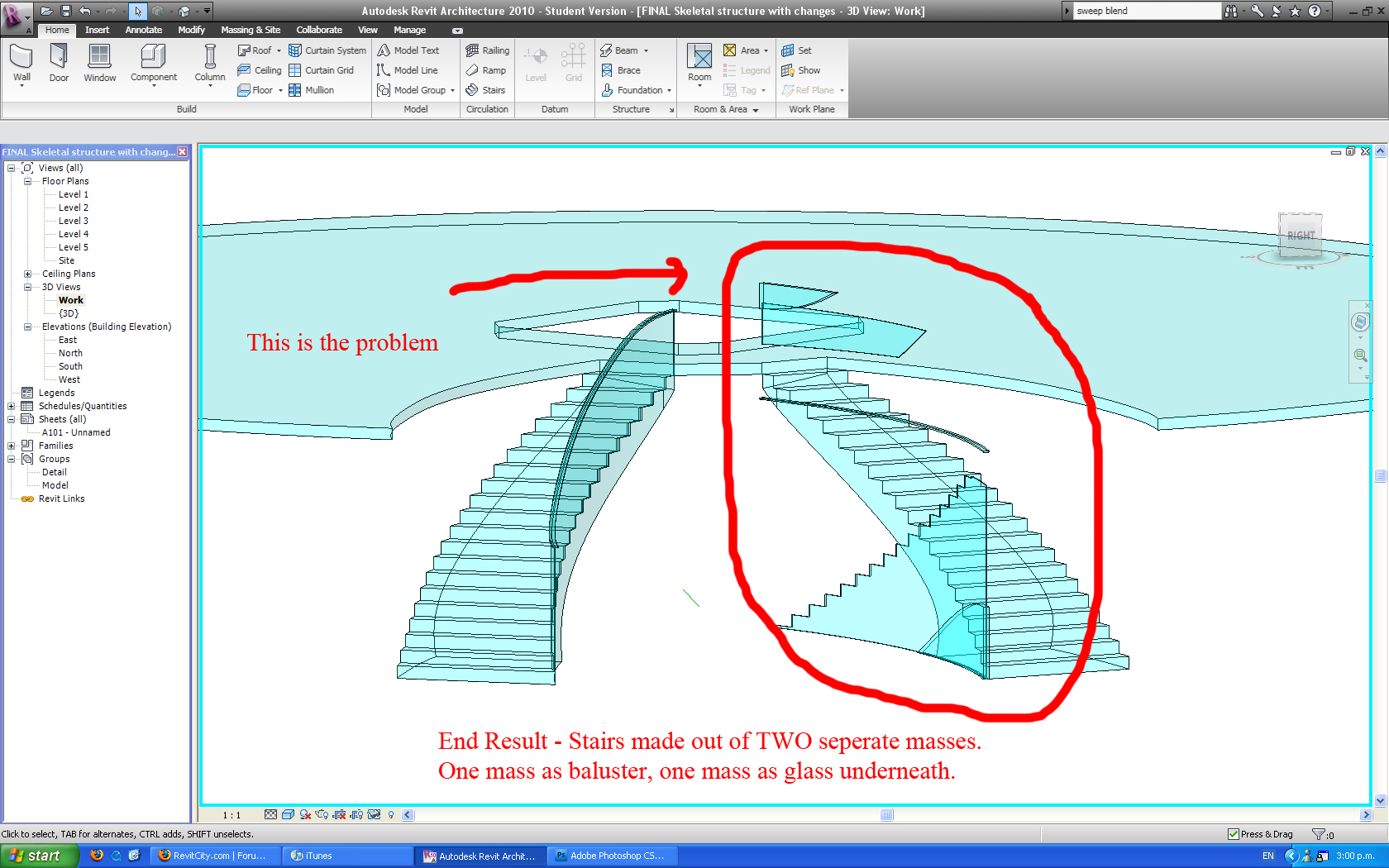
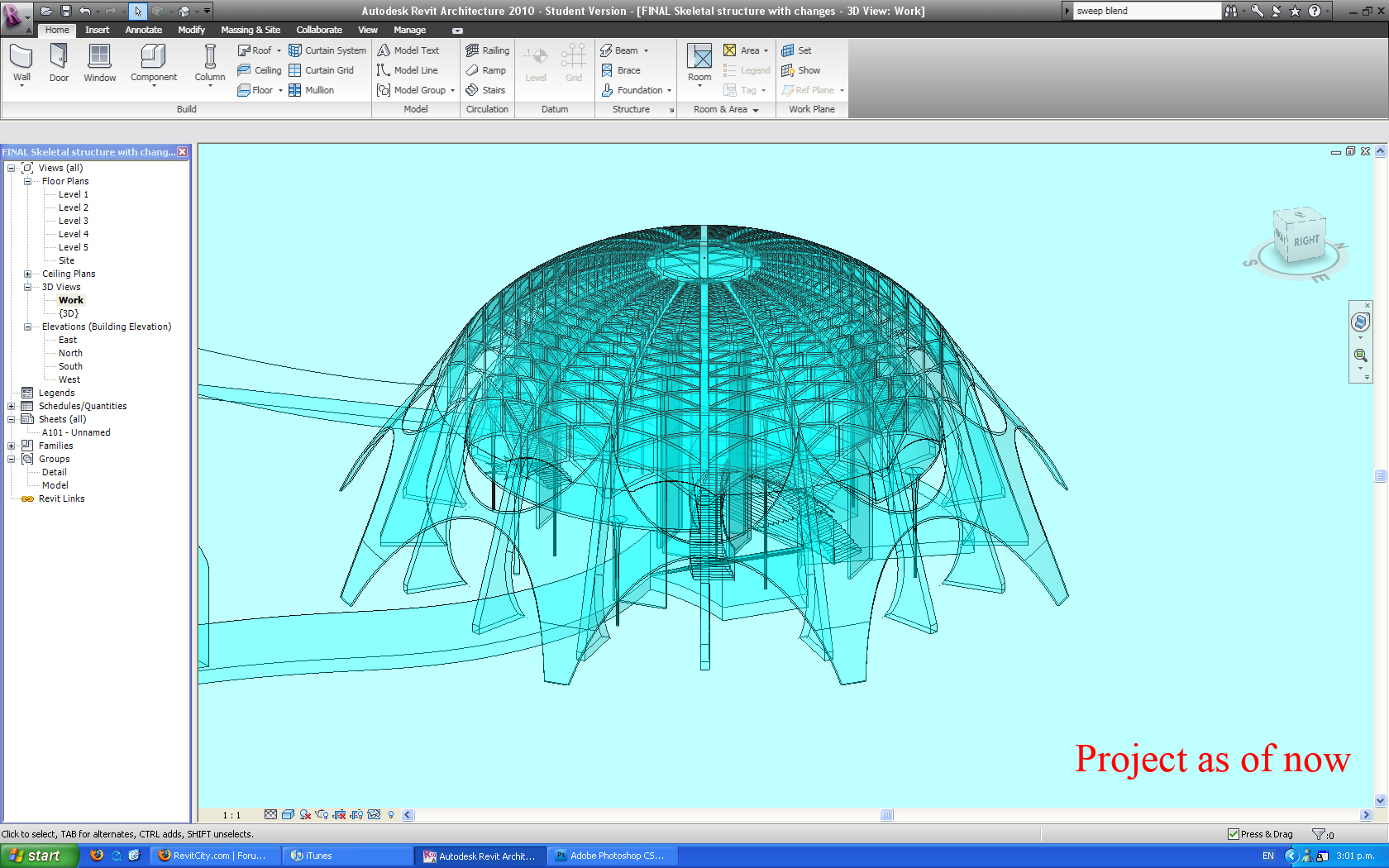
Ok, I now have an issue with the 'mirror' command. First of all, I made a component in masses (In this case, a baluster for my stairs), and simply wanted to mirror it onto my other mirrored stairs via the 'Site' view, select, a model line along the mirror axis and the 'mirorr command' under the 'Modify Mass' ribbon. In 2009, I had no such issue. At some point messing around in 2010, I must have switched an option, because it was working for a while - and no gives me the following. Image one shows the mass, image two the process of mirroring, image three the end result. Attached is a screenshot of the final image also for understanding.
|
This user is offline |
|
|
|
Similar Threads |
|
Massing |
Revit Building >> Technical Support
|
Mon, Jun 22, 2009 at 9:18:46 AM
|
3
|
|
Linking 2009 with 2010 |
Revit Systems >> Technical Support
|
Wed, Aug 10, 2011 at 4:03:57 PM
|
4
|
|
Saving frpom 2010 to 2009 |
Revit Building >> Technical Support
|
Wed, Jul 13, 2011 at 2:13:05 PM
|
3
|
|
Opening a 2010 file in 2009 |
Revit Structure >> Technical Support
|
Thu, Jul 16, 2009 at 8:51:56 AM
|
3
|
|
2010 Conceptual Massing and .sat files |
Revit Building >> Technical Support
|
Fri, May 27, 2011 at 12:46:18 PM
|
10
|
|
|
Site Stats
Members: | 2161655 | Objects: | 23325 | Forum Posts: | 152479 | Job Listings: | 3 |
|

 Search