|
|
|
Home | Forums |
Downloads | Gallery |
News & Articles | Resources |
Jobs | FAQ |
| Join |
Welcome !
|
12 Users Online (10 Members):
Show Users Online
- Most ever was 626 - Mon, Jan 12, 2015 at 2:00:17 PM |
Forums
|
Forums >> Revit Building >> Technical Support >> making furniture
|
|
|
active
Joined: Tue, Nov 4, 2008
17 Posts
 |
does anyone know how to show material on an object i created in place from the component menu. I already drew the object so i am trying to change the surface pattern after the fact. please let me know
|
This user is offline |
|
 | |
|
|
active

Joined: Fri, Sep 7, 2007
738 Posts
 |
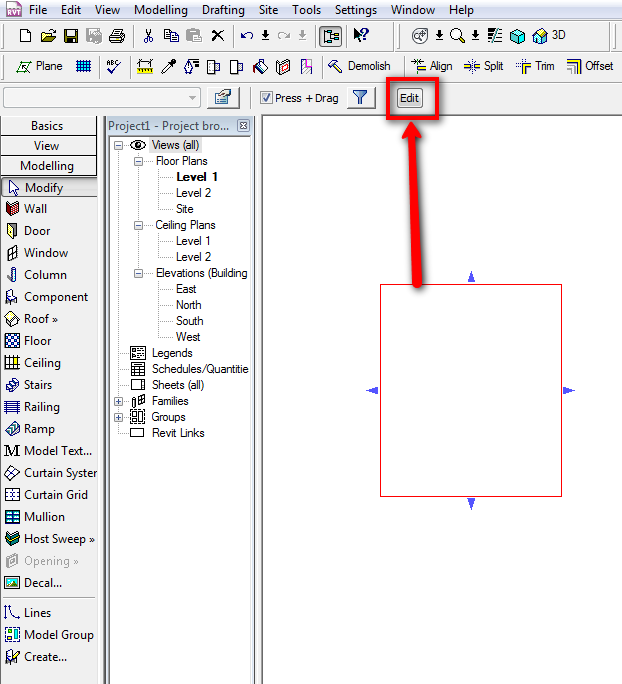
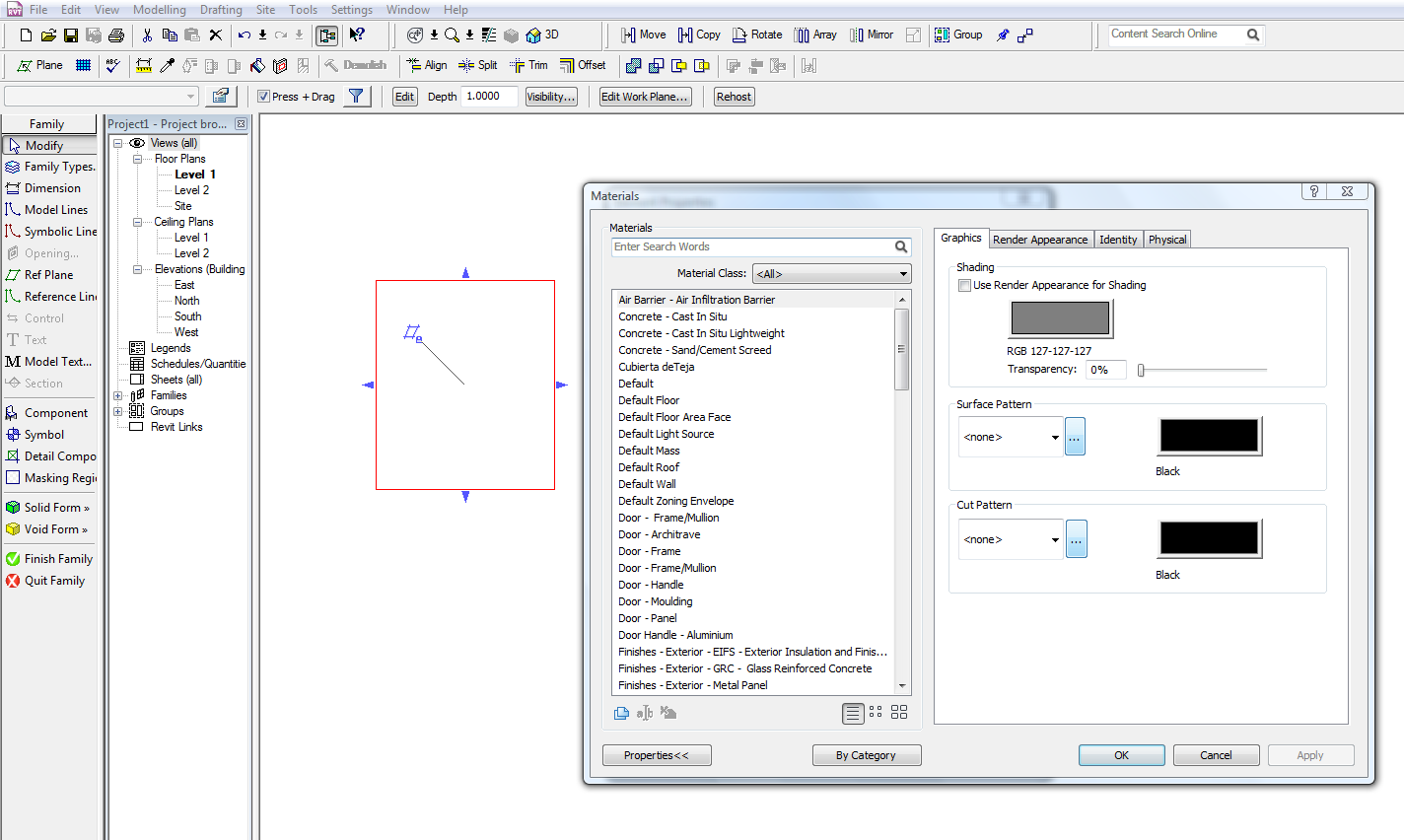
Hi ALEROBER, first pick your object and then pick "Edit" button" (see images). Then pick again your object and then "Element properties" and go to Material <By Category> and there you have the materials and patterns options....
-----------------------------------
“Learning never exhausts the mind.” — Leonardo Da Vinci
|
This user is offline |
|
|
|
Similar Threads |
|
Furniture Tags & Sketchup Furniture Components |
Revit Structure >> Technical Support
|
Fri, Dec 4, 2015 at 9:35:33 PM
|
3
|
|
Difference between Furniture & Furniture Systems |
Revit Building >> Technical Support
|
Thu, Jan 4, 2007 at 2:37:47 PM
|
4
|
|
Turning off Certain Furniture |
Revit Building >> Technical Support
|
Tue, Jun 20, 2006 at 2:09:52 PM
|
4
|
|
Transparent furniture items |
Revit Building >> Technical Support
|
Mon, Jul 11, 2011 at 8:54:28 PM
|
1
|
|
Filled furniture |
Community >> The Studio
|
Fri, Jul 17, 2009 at 12:06:56 PM
|
6
|
|
|
Site Stats
Members: | 2161655 | Objects: | 23325 | Forum Posts: | 152479 | Job Listings: | 3 |
|
 Search