|
|
|
Home | Forums |
Downloads | Gallery |
News & Articles | Resources |
Jobs | FAQ |
| Join |
Welcome !
|
52 Users Online (50 Members):
Show Users Online
- Most ever was 626 - Mon, Jan 12, 2015 at 2:00:17 PM |
Forums
|
Forums >> Revit Structure >> Technical Support >> Revit Doors
|
|
|
active
Joined: Sat, Sep 20, 2008
2 Posts
No Rating |
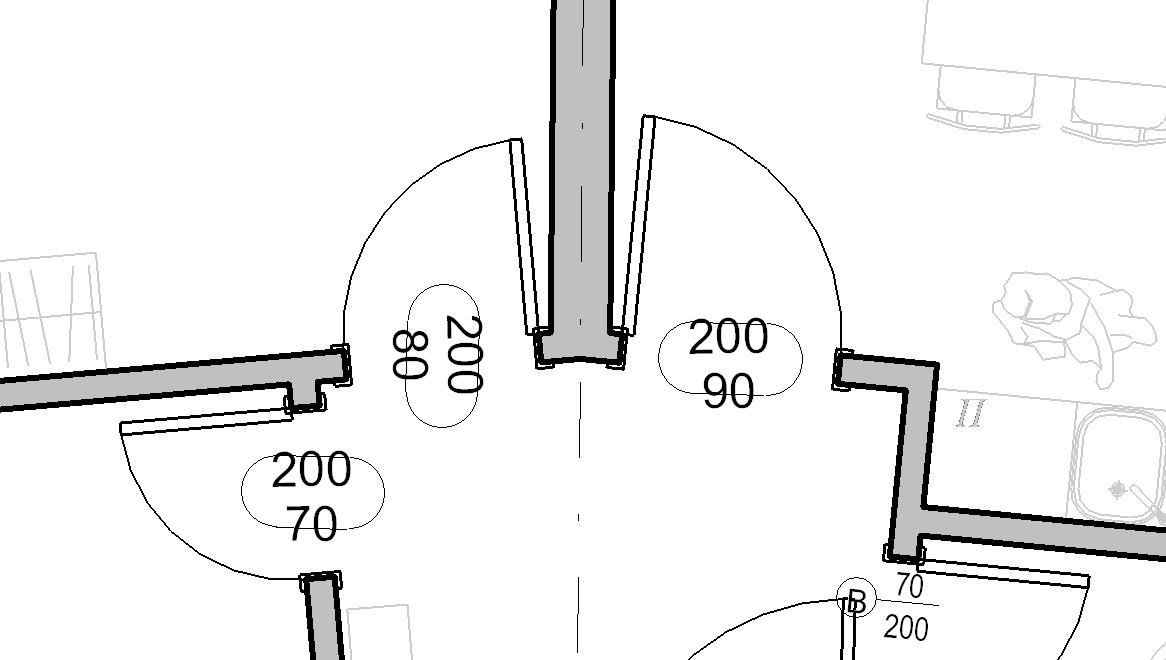
Hi guys! Just started a CAD/BIM course at uni and this is my first encounter with Revit Structure. We're building a _really_ simple warehouse based off a very simple blueprint. My problem is that I have to build two different types of doors and I have no clue whatsoever how to create them. The basic doors are no problem but I think the other two are a bit special. I'll give you a link below so that you can see which doors I'm talking about (the ones with the red circle around them): Link: http://img227.imageshack.us/my.php?image=revitdoorsxm7.jpg Would appreciate any help if you know how to make these, just remember - I am really noobish  Best Regards, Andreas.
|
This user is offline |
|
 | |
|
|
site moderator|||

Joined: Tue, May 22, 2007
5921 Posts
 |
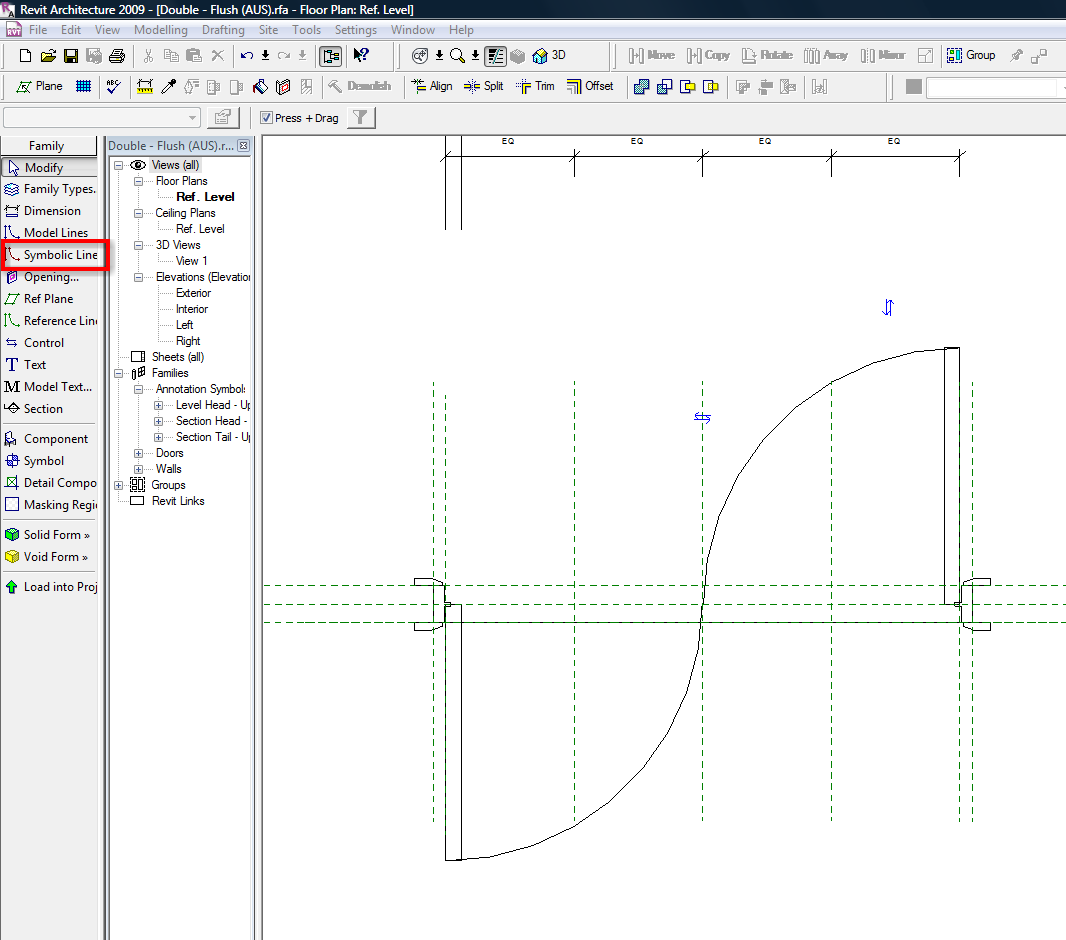
You can do that with "Symbolic Lines - Plan Swing (Projection)"...
-----------------------------------
I Hope and I Wish to LEARN more, and more, and more.... REVIT |
This user is offline |
|
|
|
active
Joined: Sat, Sep 20, 2008
2 Posts
No Rating |
Thanks for your reply Typhoon, been really busy the last couple of days and haven't been able to try it out properly. Just a quick question, how did you actually make it and will these lines really look like an acutal door? I'm really new to this. Anyway, thanks a lot. /Andreas
|
This user is offline |
|
|
|
site moderator|||
Joined: Tue, May 22, 2007
5921 Posts
|
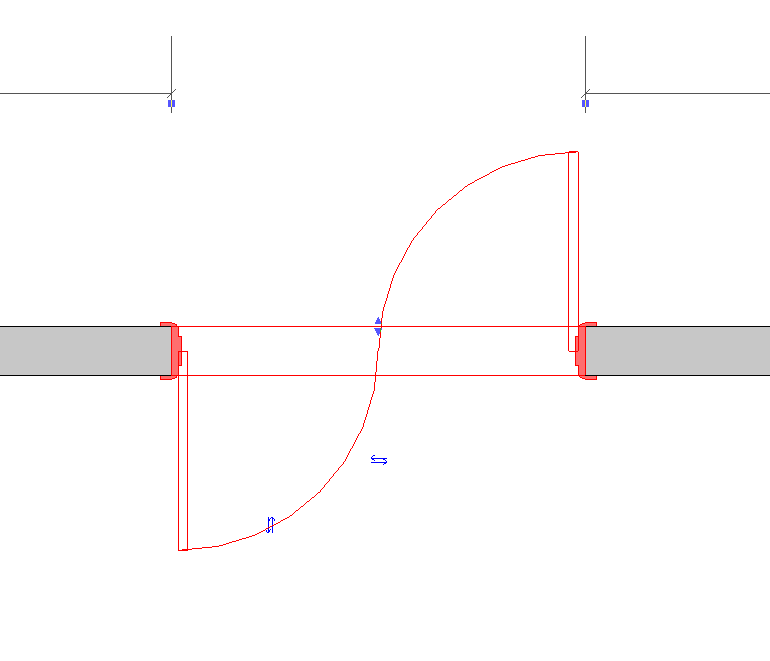
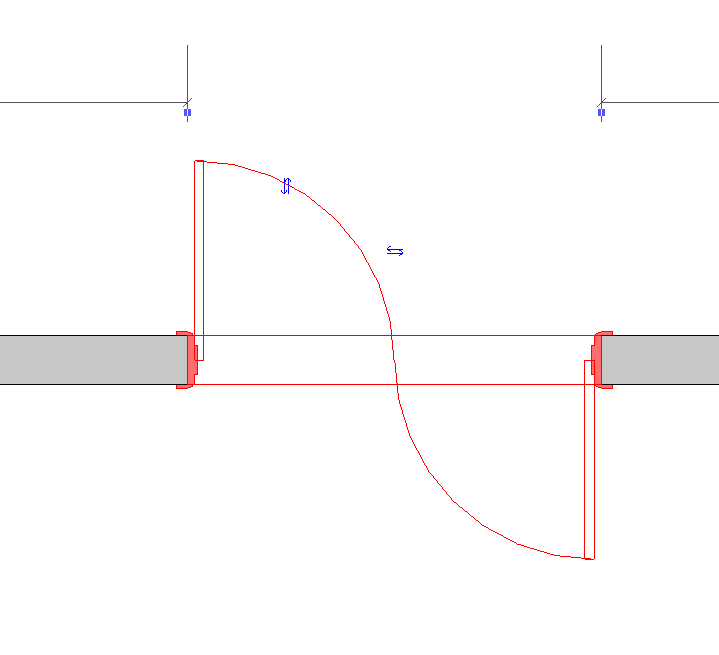
" how did you actually make it and will these lines really look like an acutal door?" well you can create this in a family door or you also can open an existent double door and change in plan this "symbolic lines" like you can see in the first image...
-----------------------------------
I Hope and I Wish to LEARN more, and more, and more.... REVIT |
This user is offline |
|
|
|
active
Joined: Sun, Aug 3, 2008
2 Posts
No Rating |
Hello! )) )) how to connect door tag with the angle of rotation of the door (or not to be only horizontal or vertical )I know it's possible but i don't know how to do that Thank you))
|
This user is offline |
|
|
|
site moderator|||

Joined: Fri, Apr 14, 2006
584 Posts
 |
Edit the door tag family and go to Setting-->Family Category and Parameters and click the check mark box that says "Rotate with component". Then reload that family into the project.
|
This user is offline |
|
|
|
active
Joined: Sun, Aug 3, 2008
2 Posts
No Rating |
Thanks for your reply, JAMESHGRIMES ! You are the best!!! Would you tell me how to extract from Door Schedule frame thickness of the door (ex.:12 or 25 cm) and orientation of the door (left/right).I think creating my Door family I have to add some kind of parameter.If this parameter exists would you tell me where can I find it in standart Family door.  or if you could send me door whit these parameters) or if you could send me door whit these parameters) Thanks
|
This user is offline |
|
|
|
Similar Threads |
|
Doors within Doors |
Revit Building >> Technical Support
|
Fri, Aug 19, 2011 at 3:10:23 PM
|
1
|
|
Arched storefront doors...? |
Revit Building >> Technical Support
|
Wed, Mar 16, 2011 at 12:38:55 PM
|
9
|
|
Storefront Doors in Door Schedule |
Revit Building >> Technical Support
|
Wed, Sep 9, 2009 at 4:32:17 PM
|
9
|
|
Scheduling Pairs of Doors in Revit 2012 |
Revit Building >> Technical Support
|
Mon, Dec 12, 2011 at 3:16:32 PM
|
4
|
|
Problems Changing Colours Of Doors! |
Revit Building >> Technical Support
|
Wed, Jul 1, 2009 at 3:24:18 PM
|
4
|
|
|
Site Stats
Members: | 2161655 | Objects: | 23325 | Forum Posts: | 152479 | Job Listings: | 3 |
|
 Search