|
|
|
Home | Forums |
Downloads | Gallery |
News & Articles | Resources |
Jobs | FAQ |
| Join |
Welcome !
|
6 Users Online (4 Members):
Show Users Online
- Most ever was 626 - Mon, Jan 12, 2015 at 2:00:17 PM |
Forums
|
Forums >> Revit Building >> Technical Support >> Revit model half shaded half wireframe
|
|
|
active
Joined: Mon, Mar 21, 2005
27 Posts
 |
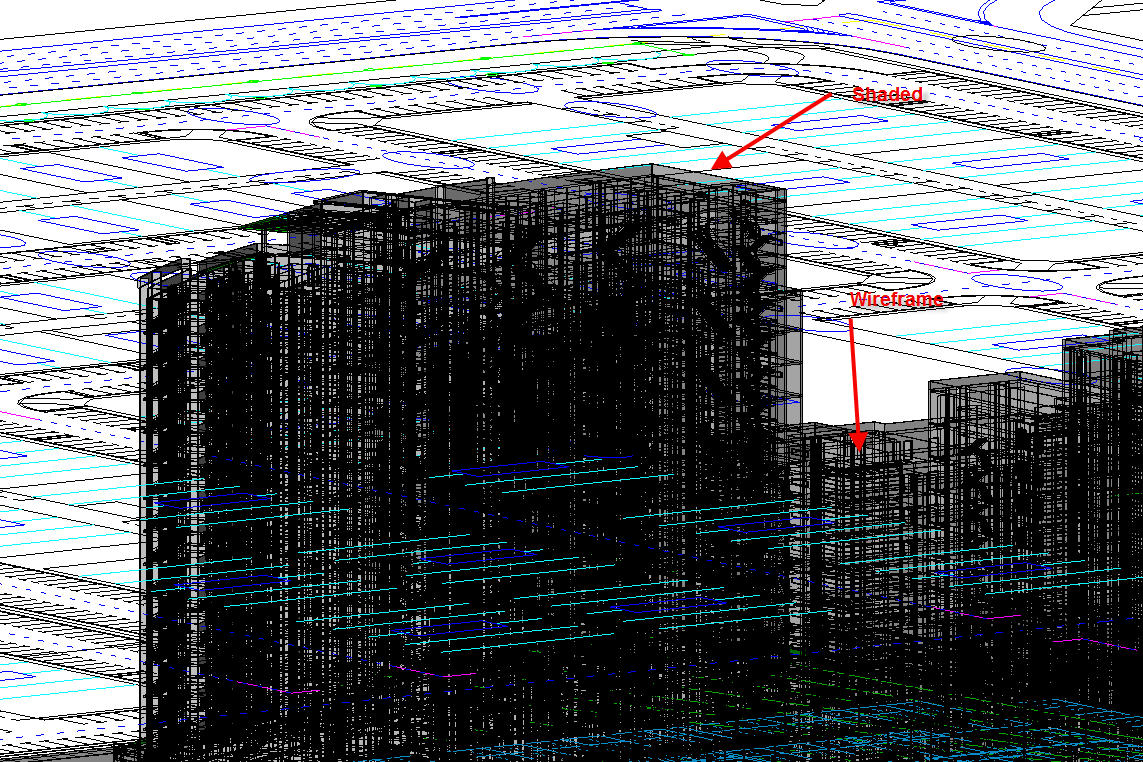
I have a Revit model done in Revit 2009. Somehow when in 3D view (not camera view), the model shows up as half shaded and hlaf wireframe. Why is it so? The viewing is set to shaded with edge.
|
This user is offline |
|
 | |
|
|
active
Joined: Mon, Oct 15, 2007
321 Posts
 |
its just a bug. delete the view then click on the 3d button to bring back the default 3d view should fix it. its happened to me a few times. can't remember if its happened since i installed the service pack but if you haveent installed it then you should.
|
This user is offline |
|
|
|
active
Joined: Mon, Mar 21, 2005
27 Posts
|
Tnaks KingRevit. It works as you said. I think the service pack does not help as we have tested it.
|
This user is offline |
|
|
|
active
Joined: Mon, Oct 15, 2007
321 Posts
|
no problem
|
This user is offline |
|
|
|
active
Joined: Mon, Apr 1, 2013
9 Posts
No Rating |
Recreating worked like a charm.
|
This user is offline |
|
|
|
Similar Threads |
|
Create a half dome |
Revit Building >> Technical Support
|
Mon, Nov 11, 2019 at 5:37:42 PM
|
2
|
|
Stairs - Ack! Half open, half closed |
Revit Building >> Technical Support
|
Tue, Jan 5, 2010 at 11:48:46 AM
|
2
|
|
Look at this wireframe model made in 3Ds |
Revit Building >> Technical Support
|
Sun, Apr 26, 2009 at 3:52:52 PM
|
2
|
|
Half circle Stairs |
General Discussion >> Wishlist
|
Thu, Mar 13, 2008 at 4:51:44 AM
|
2
|
|
Luminaire places half above and half below ceiling |
Revit Building >> Technical Support
|
Thu, May 19, 2011 at 6:00:21 AM
|
1
|
|
|
Site Stats
Members: | 2161655 | Objects: | 23325 | Forum Posts: | 152479 | Job Listings: | 3 |
|
 Search