|
|
|
Home | Forums |
Downloads | Gallery |
News & Articles | Resources |
Jobs | FAQ |
| Join |
Welcome !
|
62 Users Online (60 Members):
Show Users Online
- Most ever was 626 - Mon, Jan 12, 2015 at 2:00:17 PM |
Forums
|
Forums >> Revit Building >> Technical Support >> Recessed Archway
|
|
|
active
Joined: Mon, Apr 28, 2008
2 Posts
No Rating |
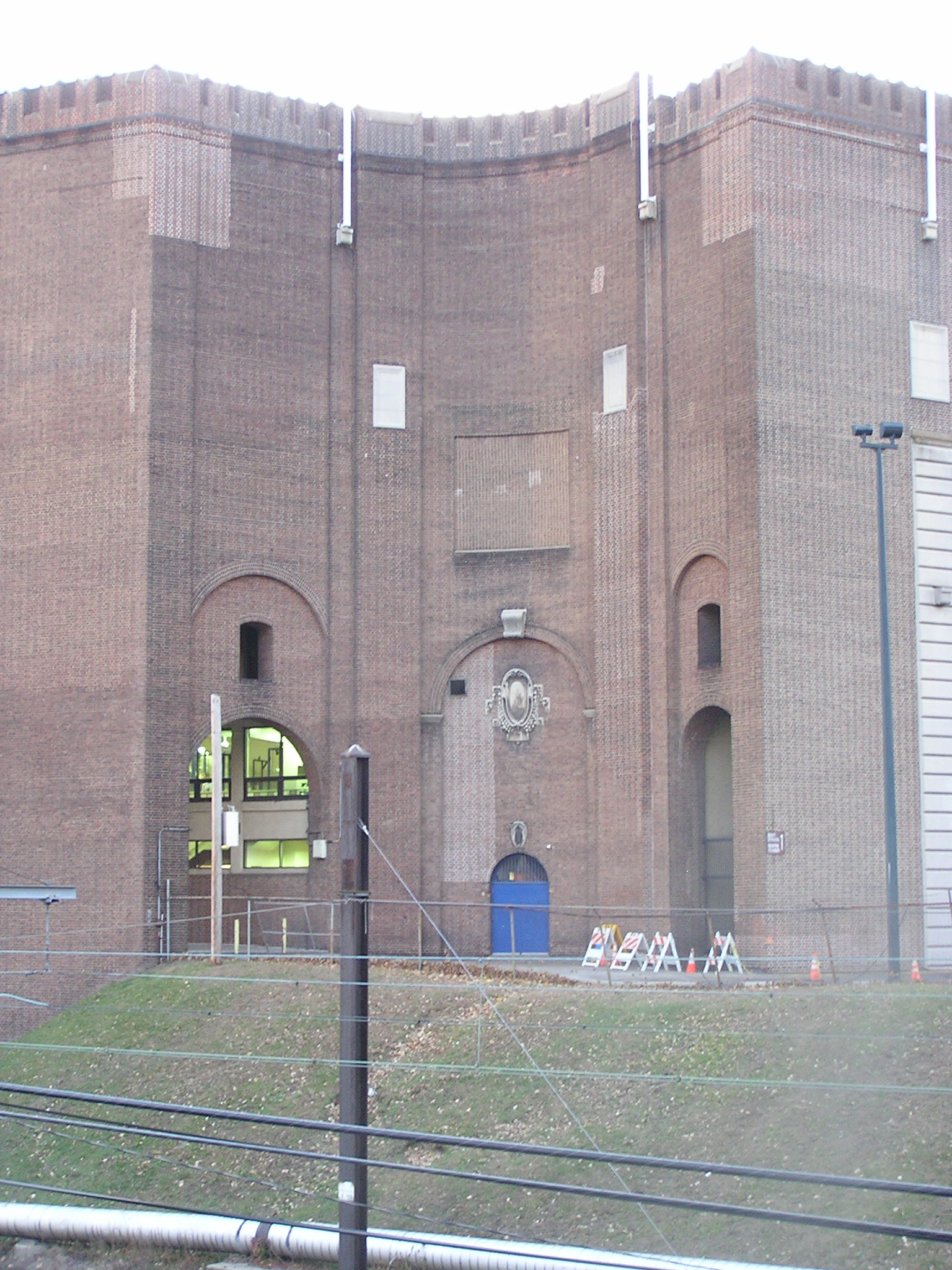
I am fairly new to Revit, and I am using 2008. I was wondering how to create recessions in walls while keeping the same face material and not cutting a hole out (editing profile), or if i had to stack two walls next to each other to achieve this effect. Attached is an existing building condition in which I am trying to model. I can make the wall with multiple different walls, but it then looks incorrect in plan. Any help or advice would be greatly appreciated.
|
This user is offline |
|
 | |
|
|
site moderator|||

Joined: Tue, May 22, 2007
5921 Posts
 |
You can do this using the VOID command....
-----------------------------------
I Hope and I Wish to LEARN more, and more, and more.... REVIT |
This user is offline |
|
|
|
Similar Threads |
|
Brick Archway in wall |
Revit Building >> Technical Support
|
Thu, Apr 10, 2008 at 7:11:36 AM
|
2
|
|
How to make a recessed panel in a masonry wall |
Revit Building >> Technical Support
|
Fri, Oct 26, 2007 at 7:19:46 AM
|
4
|
|
RECESSED PANELS IN EXTERIOR WALLS |
Revit Building >> Tips & Tricks
|
Mon, Oct 31, 2005 at 4:22:37 PM
|
3
|
|
Recessed cans in family |
Revit Building >> Technical Support
|
Sat, Jan 14, 2012 at 4:48:35 PM
|
2
|
|
Brick archway |
Community >> The Studio
|
Wed, Nov 2, 2005 at 6:53:36 AM
|
1
|
|
|
Site Stats
Members: | 2161655 | Objects: | 23325 | Forum Posts: | 152479 | Job Listings: | 3 |
|
 Search