|
|
|
Home | Forums |
Downloads | Gallery |
News & Articles | Resources |
Jobs | FAQ |
| Join |
Welcome !
|
4 Users Online (2 Members):
Show Users Online
- Most ever was 626 - Mon, Jan 12, 2015 at 2:00:17 PM |
Forums
|
Forums >> Revit Building >> Technical Support >> problems with curtain walls
|
|
|
active
Joined: Wed, Apr 16, 2008
13 Posts
No Rating |
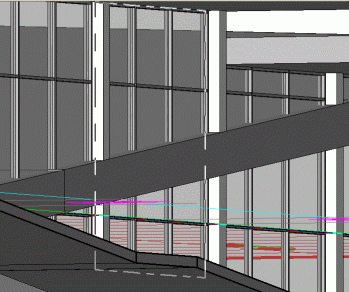
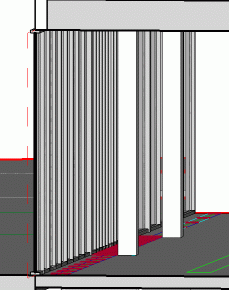
 Revit Building 9) Revit Building 9) first problem: a floor has been added, and it crosses the curtain wall. Do I have to redraw the curtain wall all over again? is there an easier way? second problem. I drew a curtain wall in the wrong position. It should be some 50 cm inside the building (f I had to modify the plan in CAD I would simply offset the line). How do I correct that? It seems that I can't move it in any way...
|
This user is offline |
|
 | |
|
|
active
Joined: Wed, Apr 16, 2008
13 Posts
No Rating |
my gosh... totally pointless!!! I'm using the wrong item for my goal... I should be drawing these curtain walls as WALL objects, not ruled curtain walls (by line) sorry, I'm still a n00b...
|
This user is offline |
|
|
|
Similar Threads |
|
Curtain walls |
Revit Building >> Technical Support
|
Mon, Nov 7, 2011 at 10:28:33 AM
|
6
|
|
Angled Curtain Walls - fillets and nested |
Revit Building >> Technical Support
|
Thu, Apr 23, 2009 at 5:42:47 PM
|
7
|
|
scheduling windows and curtain walls together |
Revit Building >> Technical Support
|
Wed, May 11, 2011 at 7:52:31 AM
|
2
|
|
Curtain Walls |
Revit Building >> Technical Support
|
Wed, Apr 16, 2008 at 1:30:46 PM
|
0
|
|
Curtain Grid Problems [ 1 2 ] |
Revit Building >> Technical Support
|
Wed, Apr 10, 2013 at 5:57:45 AM
|
19
|
|
|
Site Stats
Members: | 2161655 | Objects: | 23325 | Forum Posts: | 152479 | Job Listings: | 3 |
|
 Search