|
|
|
Home | Forums |
Downloads | Gallery |
News & Articles | Resources |
Jobs | FAQ |
| Join |
Welcome !
|
43 Users Online (42 Members):
Show Users Online
- Most ever was 626 - Mon, Jan 12, 2015 at 2:00:17 PM |
Forums
|
Forums >> Revit Building >> Tips & Tricks >> A little SketchUp with your REVIT ?
|
|
|
active

Joined: Mon, Apr 2, 2007
278 Posts
 |
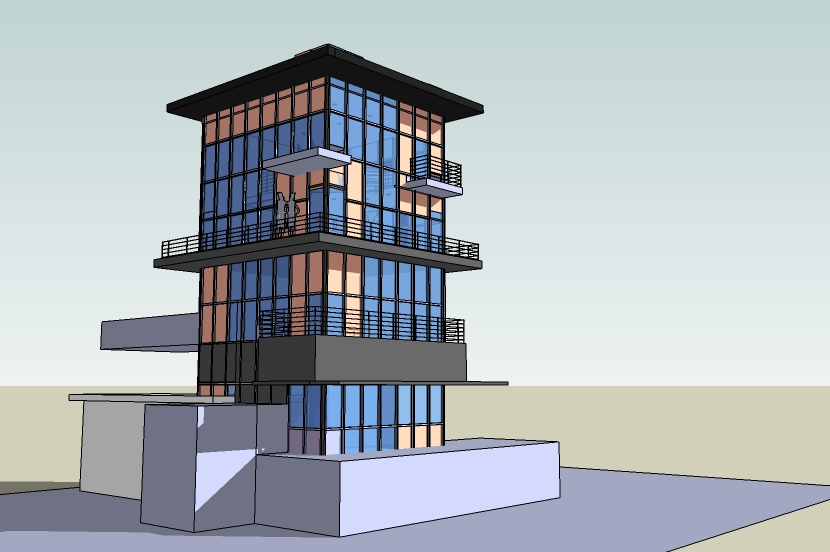
I'm gonna go back in and delete whatever cars, planes, and people I have in the model and then try again. Maybe thats the problem.
-----------------------------------
LHAA Licata Hansen Associates Architecture Reno, NV USA |
This user is offline |
View Website
|
 | |
|
|
active
Joined: Mon, Apr 2, 2007
278 Posts
|
It wouldn't let me because it said my model was too complex and needed to be broken down into smaller masses and families. Its ok next time I'll just do it piece by piece and import smaller sections into Revit. Thanks for teaching me the right way to import from Sketchup though!
-----------------------------------
LHAA Licata Hansen Associates Architecture Reno, NV USA |
This user is offline |
View Website
|
|
|
active
Joined: Wed, Sep 5, 2007
3 Posts
No Rating |
Intresting topic I've done sletch up into Revit to kesflower: How do you bring Revit into sketch up? Please Share your trick and tips I exported Revit model into dwg format as solids,then opened up sketch up and import dwg it gives me an error about wrong dwg format(
|
This user is offline |
|
|
|
active
Joined: Wed, Sep 5, 2007
3 Posts
No Rating |
ok I've done the import export it works I've worked with sketch up alot and really wonder what can you do to spark up the model after you imported revit model into Sketch up?
|
This user is offline |
|
|
|
active
Joined: Mon, Jan 23, 2006
24 Posts
No Rating |
I know this is an older posting, but I've had trouble rendering sketchup-based models as well. I have had luck importing directly into the revit model, and not through a mass. I just apply materials in the Object Styles menu. you have to have used layers to oganize the model in Sketchup, and everything should be painted the default color. But the renderings work well - even in things like custom light fixtures.
|
This user is offline |
|
|
|
Similar Threads |
|
Sketchup to Revit |
Revit Building >> Technical Support
|
Wed, Aug 26, 2015 at 10:41:27 AM
|
4
|
|
Sketchup model into Revit |
General Discussion >> Revit Project Management
|
Tue, Jan 8, 2013 at 12:06:20 PM
|
3
|
|
SketchUp to Revit |
General Discussion >> Revit Project Management
|
Sun, Mar 22, 2009 at 6:53:33 PM
|
2
|
|
Sketchup To Revit Problems *Please Help* |
General Discussion >> Revit Project Management
|
Thu, Mar 12, 2009 at 9:21:29 AM
|
1
|
|
PLEASE HELP! Revit + Sketchup intol Artlantis |
Revit Structure >> Technical Support
|
Sat, Jun 7, 2014 at 6:26:28 AM
|
13
|
|
|
Site Stats
Members: | 1987556 | Objects: | 22875 | Forum Posts: | 152177 | Job Listings: | 3 |
|
 Search